
For families
Reno walks alongside your family through treatment.
When a treatment arrives at home, information scatters: prescriptions, appointments, lab results, expenses, messages. Reno brings everything into one place and helps you coordinate your support network — without adding to your load.
Free for families. No commissions on donations.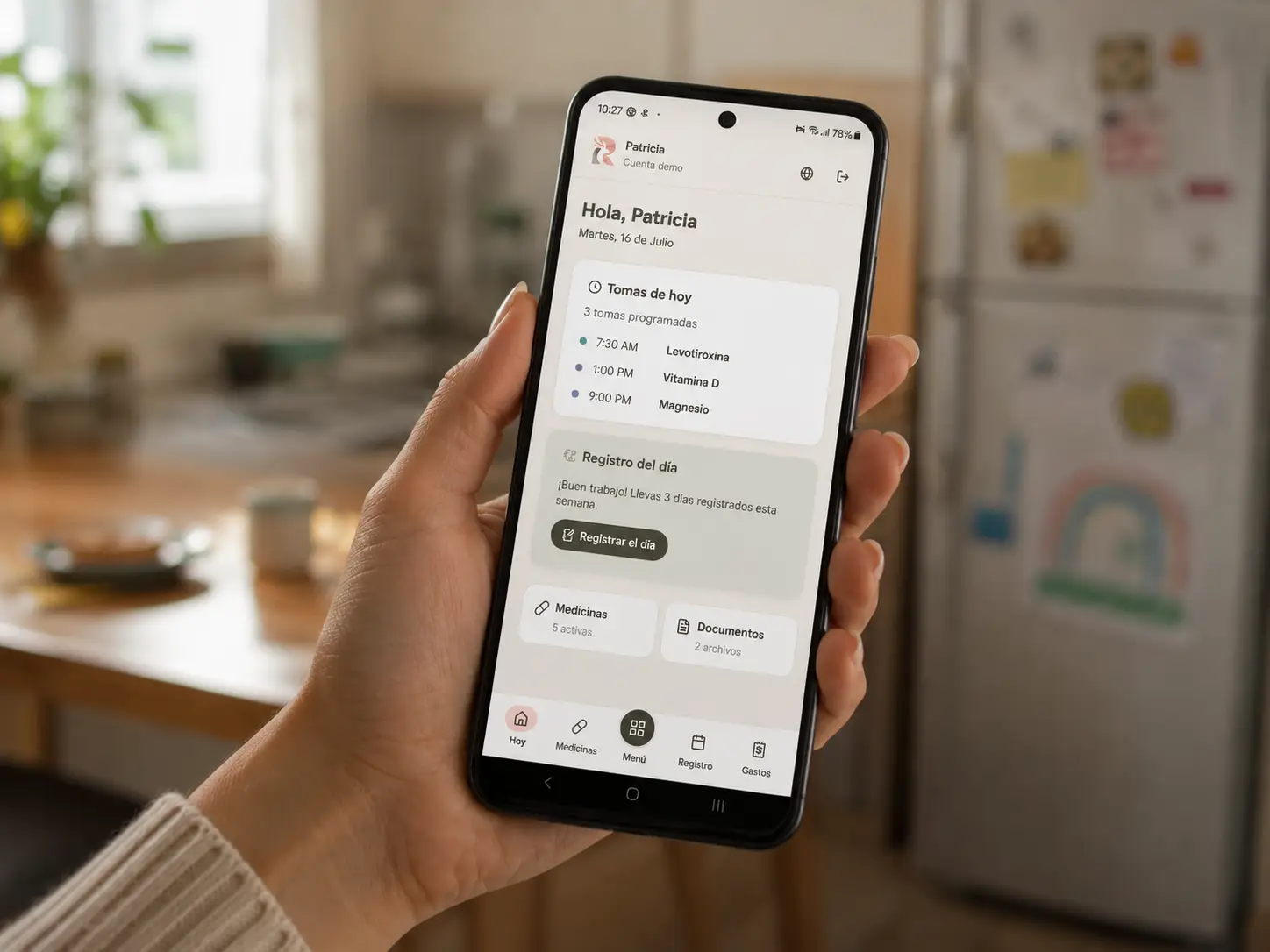
What Reno does for you
Medications and reminders
Record medications, schedules and daily doses. Reminders reach your calendar; you confirm each dose.
Daily log
How they slept, ate and felt. A simple journal that later helps answer "since when?".
Documents and lab results
Prescriptions, reports and results in one private, organized place — with lab trends to see them clearly.
Support page
A public page to tell your story, receive messages of encouragement and, if you choose, organize donations that go straight to your accounts.
Transparent expenses
Record treatment expenses and, if you want, show them on the public page to build trust with supporters.
The whole family, coordinated
Invite caregivers with role-based permissions: each person sees and does only what their role allows.
What Reno does NOT do
Just as important as what it does. These limits protect your family:
- It gives no medical advice, makes no diagnoses and calculates no doses. Your family's medical team is always in charge.
- It doesn't replace the hospital or the clinical record. Reno organizes what you record, outside the clinical environment.
- It doesn't process donations or touch the money. Support goes straight to the accounts you set up; Reno takes no commission.
- It doesn't sell data or show ads. Ever.
- It publishes nothing without your approval. You decide what goes public, and everything public passes human review.
Your privacy comes first
Reno was designed with the highest standard of care we know, for sensitive health data.
Private by default
Everything you record starts private. Publishing something is always an explicit family decision.
You decide what shows
The public page shows only the sections you turn on: updates, donations, expenses, transparency and the message wall.
Human review of public content
Donation methods and public documents are reviewed by the Reno team before going live.
Real control
You can unpublish the page, revoke access or request deletion of your data at any time.
How a support page works
From request to published page, with guidance at every step.
You request
Fill in the form with the essentials. No commitment: it's the start of a conversation.
We talk
The Reno team reviews the request and contacts you to understand the case and answer questions.
You build your page
With your account ready, you write your story and set up support options with a step-by-step guide.
It goes live after review
Before it meets the world, we review the public content to protect your family.
Public content is cared for together
Every support page has visible protection mechanisms:
Frequently asked questions
How much does Reno cost?
Nothing. Reno is free for families and takes no commission on donations. The platform is sustained by contributions and infrastructure sponsorships — never by commissions or families' data.
Who can see the private information?
Only the people you invite, with the role you define. Neither sponsors nor other families see your data; the Reno team only steps in if you ask for help.
Can I use Reno without a public page?
Yes. The support page is optional: you can use only the private side (medications, appointments, documents) and turn on the public page later — or never.
How do I report a suspicious page?
Every public page has a report button at the bottom. The Reno team reviews every report and takes action.
Their treatment, with less chaos.
Tell us about your family and we'll walk you through setting up Reno, step by step.
Request a page